


Flipped:Chat with AI Character
Flipped Chat
I approached Flipped:Chat with AI Character as an entertainment app first, but its real appeal is more personal than a typical feed or streaming service. It lets me create and chat with chatbot characters, so the experience depends less on consuming finished content and more on shaping a conversation. That makes it interesting for people who enjoy roleplay, creative prompts, casual companionship, or experimenting with different conversational personalities.
My main focus while using it was not simply whether the chats were entertaining. I also paid attention to how easy the app felt to read, navigate, and control in different situations. An app built around continuous text interaction can be enjoyable for one person and tiring for another, especially when conversations become long or emotionally intense. Flipped has a welcoming idea, but it works best when you understand what kind of interaction it is offering and where its limits may affect your experience.
How Flipped feels to use in everyday situations
Readability and navigation shape the whole experience
The central design idea is easy to understand: choose or create a character, then start a conversation. That simplicity is important because the app does not ask me to learn a complicated productivity system or manage a large collection of tools before getting value from it. I can approach it casually, test a character, and decide quickly whether the tone suits me.
At the same time, a chatbot app can become visually demanding because the main activity is reading one message after another. The longer a conversation continues, the more effort it takes to remember the character’s tone, the direction of the exchange, and details introduced earlier. I found that the quality of the experience depends heavily on keeping prompts focused. Shorter messages make it easier to follow the exchange, while lengthy roleplay instructions can turn a relaxed chat into something that feels like managing a small writing project.
For readers who prefer clear, direct interaction, I recommend beginning with a narrowly defined character idea. Instead of asking for a personality that is “fun, wise, dramatic, supportive, mysterious, and unpredictable,” I would start with one or two traits and a clear setting. This is a practical way to reduce confusing replies and makes the conversation easier to scan. It also helps users who find rapidly changing topics or dense blocks of text tiring.
Related News

Why WhatsApp Messenger Still Makes Everyday Communication Feel Easy

Jurassic World: The Game Is the Better Dino Tycoon for Strategic Players

Threads in Real Life: Who Should Join, Lurk, or Leave

How SHEIN Turned Shopping Into an Endless Content Feed

How to Make Fortnite Feel Smarter on Mobile

Should You Switch to Microsoft Outlook on Mobile?
Navigation is most comfortable when I treat the app as a series of focused sessions rather than one endless conversation. A useful routine is to give each chat a purpose: brainstorming a story, practicing a fictional dialogue, relaxing with light conversation, or exploring a particular character. When a thread starts drifting, opening a fresh interaction can be less frustrating than repeatedly correcting it.
The app comes from Flipped Chat and sits in the entertainment category, which explains its emphasis on playful interaction rather than formal answers or dependable research. Its store summary describes creating and chatting with a personal chatbot, and that is the clearest way to understand the product: it is a space for generated conversation, not a replacement for a reference book, therapist, tutor, or human friend.
Creating a character is more useful when I define boundaries
The most rewarding part for me was not merely sending messages to an existing personality. It was thinking about what makes a character consistent. A character becomes easier to use when I decide how it speaks, what it knows within the fictional setting, what it should avoid, and what kind of conversation I want. Even a simple outline can make a major difference.
Gallery
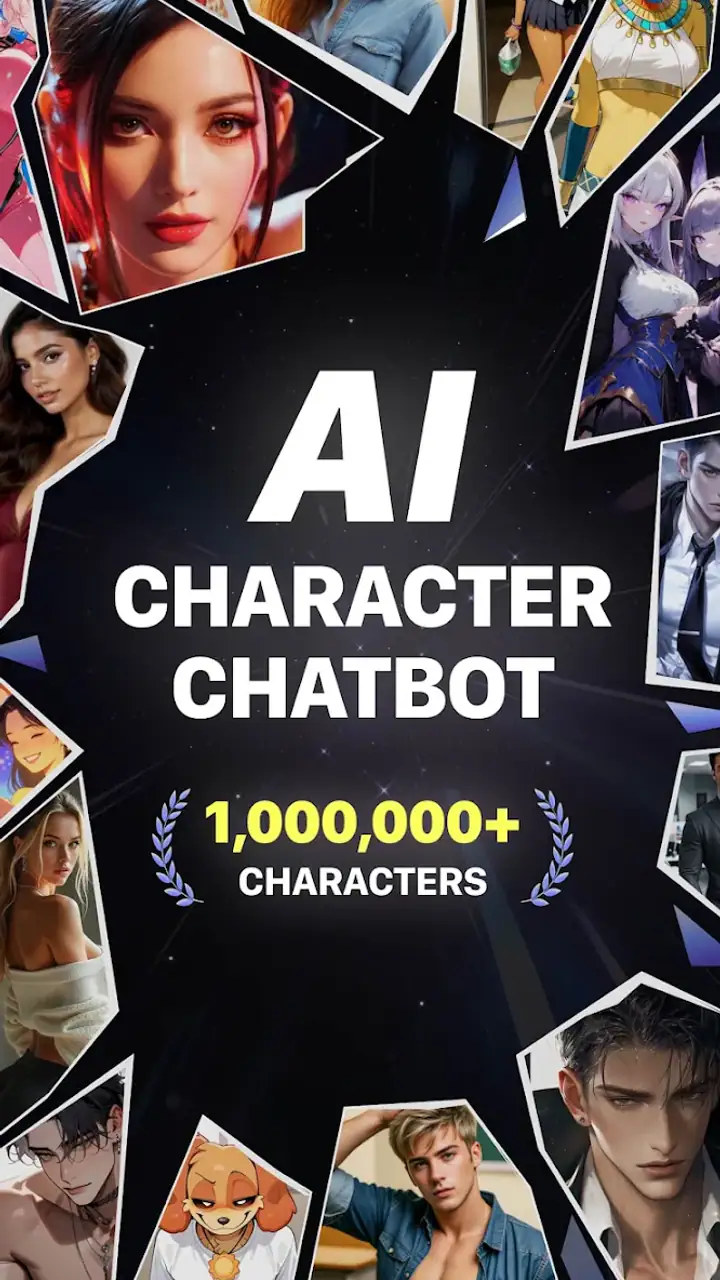
I like using a three-part setup. First, I describe the character’s role, such as a writing partner or fictional travel companion. Next, I explain the desired tone, perhaps calm, humorous, curious, or formal. Finally, I state the immediate purpose of the chat. This gives the conversation a direction without requiring a complicated prompt. It also supports readability because the character is less likely to jump between unrelated styles.
There is a trade-off here. More detailed instructions may produce a more distinctive personality, but they also require more effort from the user and can make the initial setup feel less accessible. Someone who wants instant entertainment may prefer a ready-made character. Someone who wants a particular voice or scenario will get more from spending time on the setup.
For users with attention difficulties, I would avoid trying to perfect a character before using it. Start with a small idea, chat for a few exchanges, and adjust only the part that is causing trouble. This trial-and-correction approach is easier than writing a long specification in advance, and it reveals whether the character is actually enjoyable rather than merely detailed.
Motor and sensory considerations during long chats
Flipped is fundamentally an input-heavy experience. I need to read, type, send, and then read again. That creates a different set of demands from an app that can be enjoyed mostly through watching or tapping. Users with limited hand comfort may find repeated typing tiring, particularly during roleplay sessions that encourage long replies. In that situation, keeping prompts brief is not just a style preference; it can make the app more sustainable.
I would also recommend using the device’s own keyboard and display settings to suit personal needs. Larger text, stronger contrast, or a slower typing approach can make a meaningful difference, although the exact result will depend on the phone and operating system. The app is best approached as something to adapt around your comfort rather than something to use continuously without breaks.
Sensory load can come from more than visual design. A fast-moving fictional exchange, emotionally charged character, or unpredictable response may be stimulating for one person and uncomfortable for another. I found that choosing calmer character concepts and setting a clear conversational goal made the experience more predictable. If a chat begins to feel overwhelming, ending it is a better choice than trying to force the conversation back into a comfortable tone.
There is also an important distinction between conversational flexibility and dependable communication. A chatbot may respond in a warm or confident manner, but that does not mean it understands a user’s emotional condition in the way a trained person would. I would not use Flipped as my only support during a crisis, nor would I treat a reassuring reply as professional guidance. Its value is in fictional and casual interaction, not in replacing qualified help.
The mature age classification matters here. The app is intended for users aged seventeen and above, so it is not a children’s entertainment tool. Adults and older teens should still approach character conversations thoughtfully, especially when themes become romantic, intense, or emotionally personal. The ability to create a character can make a conversation feel intimate even when the underlying interaction remains generated.
Situational access: when the app fits and when it does not
Flipped fits well into short breaks when I want to explore an idea without committing to a full game, novel, or social conversation. For example, I can use a fictional character to test dialogue for a story while waiting for an appointment. I might ask the character to respond to a scene from a different viewpoint, then use the result as raw material rather than treating it as a finished passage.
That workflow is one of the app’s more useful creative applications. I do not ask it to write an entire project in one go. Instead, I use the character as an improvisation partner: one exchange to test conflict, another to compare tones, and a final one to find an unexpected reaction. This keeps the activity manageable and makes it easier to judge what is genuinely useful.
It can also work as a low-pressure way to practice starting conversations. Someone who feels uncomfortable inventing dialogue from nothing may find it easier to respond to a character’s prompt than to face a blank page. However, this should be viewed as rehearsal, not a substitute for building confidence with real people. Generated replies are forgiving in ways that human conversations are not, so the skills do not transfer perfectly.
Flipped is less suitable when I need factual accuracy, stable memory, or a dependable answer. For checking a legal question, making a medical decision, verifying a current event, or following precise technical instructions, I would choose a specialized source instead. A general conversational app may produce an engaging response while still being wrong, incomplete, or too confident.
It is also not the best choice for someone who wants a structured game with defined rules, visible progress, and a clear ending. Traditional story games provide authored plots and predictable systems. Flipped offers freedom, but that freedom means I have to supply much of the direction. Users who dislike open-ended interaction may find the lack of a firm objective less satisfying.
How it compares with ordinary entertainment alternatives
Compared with watching a show, Flipped is more interactive but less polished. A television episode gives me controlled pacing, professional performances, and a complete narrative. Flipped gives me the ability to steer the exchange, change the mood, and create a character that matches a particular idea. The choice comes down to whether I want to receive a story or participate in making one.
Compared with ordinary social messaging, the app removes the pressure of waiting for another person, maintaining a relationship, or finding a mutually convenient time. That can make it approachable for casual experimentation. The downside is that it cannot provide genuine human presence, personal accountability, or the nuanced understanding that comes from knowing someone over time.
Compared with dedicated writing tools, Flipped is more conversational and spontaneous, but less controlled. A writing app is better for organizing drafts, tracking revisions, and preserving a deliberate structure. Flipped is better for generating possibilities quickly. I would use the two together rather than expecting one to replace the other.
Compared with a general-purpose AI assistant, the character focus is the important difference. Flipped encourages a personality-led experience, which can make creative sessions more engaging. A general assistant is usually the better option when I want concise task help, broad utility, or a direct answer without roleplay. Choosing between them depends on whether the conversation itself is the entertainment.
Remaining barriers and practical trade-offs
The first barrier is the need to manage expectations. A character can feel consistent for a while and then respond in a way that breaks the mood or ignores an earlier detail. This is especially noticeable in elaborate roleplay. I found it helpful to restate the immediate setting when necessary instead of assuming the conversation will preserve every detail indefinitely.
The second barrier is emotional overinvestment. Because the app is designed around personal chatbot interaction, some users may begin treating a character like a dependable relationship. I think it is healthier to keep a clear mental boundary: the character is an entertainment construct responding within an app. That does not make the experience meaningless, but it does mean the user should remain responsible for decisions, relationships, and emotional wellbeing outside the chat.
Cost can become another consideration. The app is free to download, while its in-app purchases range from under a dollar to amounts approaching a hundred dollars per item. That wide range means I would check each purchase carefully and decide in advance what level of spending feels reasonable. The free entry point makes testing easier, but it should not be mistaken for unlimited access to every possible part of the experience.
The app has reached over a million installs, with an average rating of 4.3 from roughly twenty-seven thousand ratings and about one and a half thousand written reviews. Those figures suggest that many people find the concept appealing, but they do not guarantee that every character style or conversation will suit every user. I would treat the popularity as a reason to try it, not as proof that it is the right entertainment choice for me.
On Android, the app requires version 8.0 or later, and the current version is 2.0.3. That makes device compatibility an important first check for anyone using an older phone. More broadly, the experience will depend on the phone’s keyboard, screen, and personal settings, so users with specific visual, motor, or sensory needs should judge comfort during a short session rather than assuming that a conversational interface will automatically be easy to use.
Who should try it and who should skip it
I would recommend Flipped to people who enjoy improvisation, character-driven entertainment, and creative experimentation. It is particularly appealing if you like inventing fictional personalities, testing dialogue, or having a casual conversation that can change direction at your request. The strongest users will be those who are comfortable guiding an open-ended interaction instead of waiting for a fixed storyline.
I would be more cautious about recommending it to anyone looking for reliable advice, a conventional social network, or a complete game with measurable progress. It is also a poor fit if long periods of reading and typing cause discomfort, or if unpredictable replies are likely to create stress. In those cases, a shorter-form entertainment app, an authored game, or a human conversation may be more satisfying.
My most useful tip is to treat each character as a tool for a specific session. Give it a role, a tone, and one immediate task. Keep the first exchange short, correct only major problems, and stop when the conversation stops being useful. This approach reduces typing, limits confusion, and makes the app more accessible across different attention levels and daily circumstances.
My inclusive verdict
Flipped:Chat with AI Character offers an approachable form of interactive entertainment, especially for users who want to create rather than simply consume. I enjoyed the freedom to shape the conversation, and I think its character-based format gives it a clearer identity than a plain chat utility. The app is at its best as a creative companion for short, intentional sessions.
Its inclusive potential comes from that flexibility: I can choose the pace, the subject, and the amount of detail I want to provide. But flexibility also shifts responsibility to the user. I need to manage reading and typing demands, set boundaries around mature themes, watch spending, and remember that generated conversation is not professional or human support.
With the right expectations, I would recommend giving it a careful try. The best experience comes from using Flipped as a guided creative space, not as an authority, a replacement for relationships, or a fully structured game. For adults and older teens who enjoy character chat and can adapt the interaction to their own comfort, it is a distinctive entertainment app. For everyone else, the usual alternatives may offer clearer limits, steadier narratives, or more dependable answers.
FAQs for Flipped:Chat with AI Character
What is Flipped: Chat with AI Character, and what can I do with it?
Flipped: Chat with AI Character is an AI conversation app that lets you interact with virtual characters through text-based chats. Depending on the character and available features, conversations may include roleplay, storytelling, casual discussions, emotional support-style exchanges, and creative scenarios. It is designed for entertainment and companionship rather than replacing professional advice, real relationships, or qualified medical, legal, or financial guidance.
Does Flipped offer different AI characters and customizable conversations?
The app is built around conversations with AI characters, and users can generally choose characters based on their personalities, themes, or conversation styles. Some experiences may allow you to create or customize characters, while others can depend on the current app version, account status, or subscription plan. Before downloading, check the character library and feature descriptions because available options may change with updates.
Is Flipped: Chat with AI Character free to use?
Flipped can usually be downloaded without an upfront charge, but some features may be limited behind in-app purchases or a subscription. Premium access may include additional characters, longer conversations, advanced interaction options, or fewer usage restrictions. Review the pricing page carefully before starting a trial, and check whether the subscription renews automatically through Google Play or the App Store.
Is my conversation data private and safe in Flipped?
Because Flipped processes AI conversations, users should read the app’s privacy policy before sharing personal information. Avoid entering passwords, financial details, identification documents, private contact information, or sensitive details that you would not want stored or reviewed. Privacy practices, data retention, third-party services, and account deletion options can vary, so confirm the latest information in the official store listing and in-app settings.
Is Flipped suitable for children, and are the AI characters always appropriate?
The app may include mature themes, romantic roleplay, or conversations that are not suitable for younger users, depending on the available characters and community content. Parents should verify the age rating, content labels, parental controls, and platform restrictions before allowing access. AI responses can also be unpredictable, so users should treat the experience as entertainment and report inappropriate, harmful, or misleading content when reporting tools are available.
Pros
- Large variety of AI characters with different personalities and interests.
- Character responses feel personalized and can adapt to your conversation style.
- Useful for casual chats
- roleplay
- brainstorming
- and creative writing ideas.
- Simple interface makes it easy to start a conversation quickly.
- New characters and conversation possibilities can keep the experience engaging.
Cons
- Some replies may feel repetitive or lack real conversational depth.
- AI characters can occasionally misunderstand context or previous messages.
- Advanced features or longer chats may require in-app purchases.
- Conversations may raise privacy concerns when sharing personal information.
- The app requires an internet connection for most chat interactions.


